


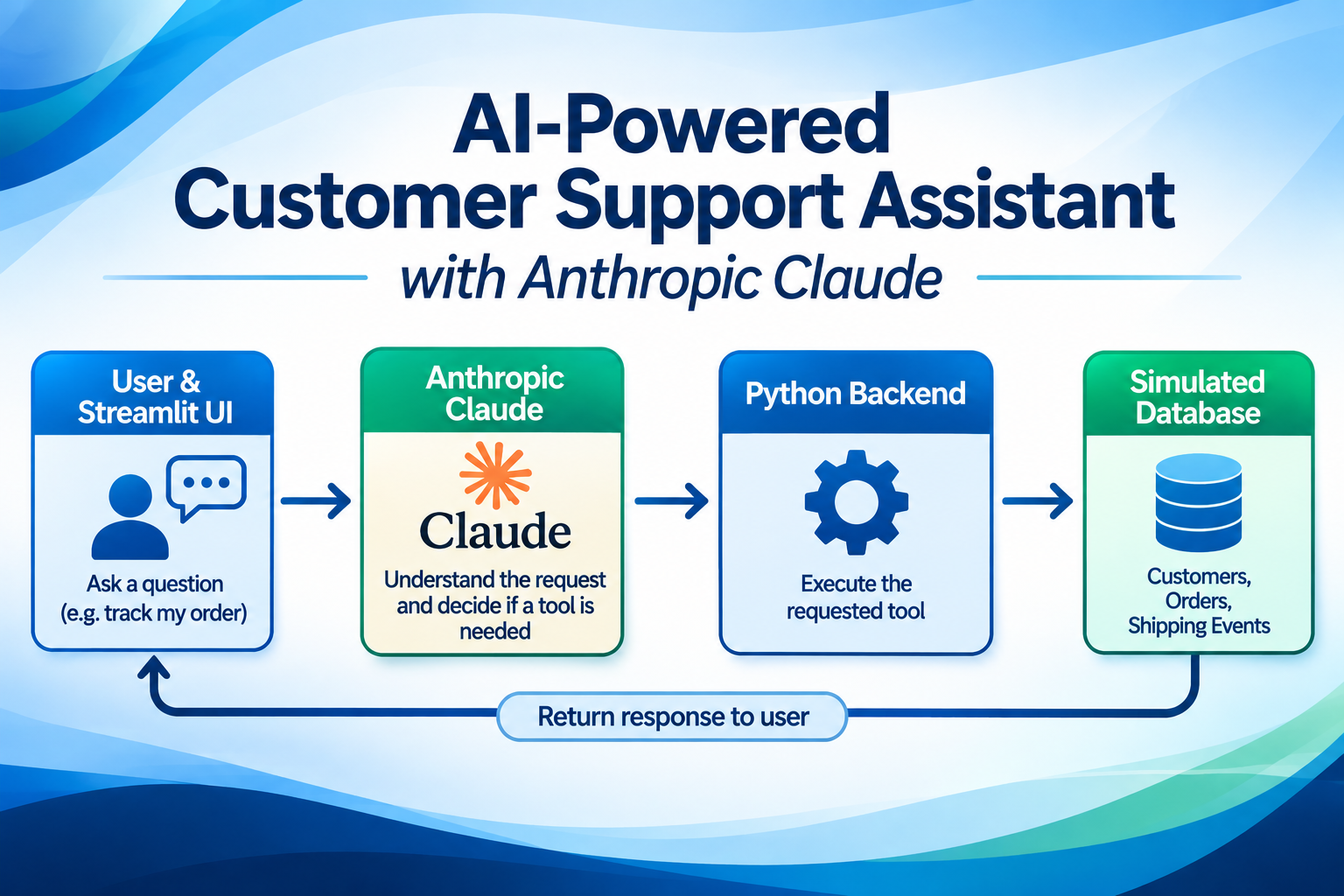
Customer-support teams handle recurring requests about order status, delivery updates, cancellations, and refunds. This project demonstrates how a conversational AI assistant can support these workflows by connecting Anthropic Claude, a Large Language Model (LLM), to application-defined Python tools.
The Streamlit application uses fictional customer and order records to demonstrate information lookup and simulated support operations. Claude interprets a request and may ask the application to call a tool. The Python backend validates the request, applies business rules, and returns a result for Claude to explain.
The project does not access real customer accounts, connect to live shipping or payment services, or process actual refunds. It demonstrates tool use, backend integration, prompt design, and some of the considerations involved in evolving a prototype toward a production system.
This project explores how to:
Many customer-support requests follow standard patterns: customers ask where an order is, whether it can be cancelled, or whether it qualifies for a refund. An assistant can help demonstrate how these requests might be routed to application tools rather than answered from the language model’s general knowledge alone.
This distinction matters since the model can interpret a request and select a tool, but the application should remain responsible for accessing records, validating inputs, and enforcing operational rules.
Anthropic Claude provides the language-understanding and tool-use capabilities that make this application more than a conventional rule-based chatbot. Its integration allows users to express customer-support requests in natural language while enabling the application to connect those requests to predefined Python functions and business logic.
The main advantages of using Claude in this application are summarized below:
| Claude capability | Benefit for the application |
|---|---|
| Natural-language understanding | Users can ask questions in their own words without navigating predefined commands or menus. |
| Tool calling | Claude can identify and request the appropriate backend function to retrieve information or perform a supported operation. |
| Contextual responses | Claude uses the results returned by the backend to generate relevant, conversational answers. |
| Instruction following | System prompts guide the assistant's behavior and help it follow the intended customer-support workflow. |
| Python integration | Claude can interact with existing application functions through structured tool requests, without directly accessing the database. |
By combining these capabilities, Claude acts as the conversational intelligence layer connecting users with the application's backend operations. The Python backend remains responsible for data access, validation, business rules, and execution of sensitive operations.
This application is designed to demonstrate how AI-powered customer support can assist different types of users and organizations, including:
Important: The current prototype is for demonstration and learning. It is not intended for direct use in live customer-support operations.
The application consists of four main components:
Claude does not directly access the database or execute Python functions. Instead, the Python backend manages tool execution and data access, ensuring that business operations remain under application control.
1. Streamlit — User Interface
Streamlit provides the web-based conversational interface, allowing users to submit natural-language requests and view the assistant's responses. The sidebar also supports dataset selection, custom JSON uploads, and inspection of the currently active dataset.
2. Anthropic Claude — Language Model
Claude acts as the conversational intelligence layer. It interprets user requests, uses the conversation history and available tool descriptions, and determines when a backend operation is needed. It can either generate a direct response or return a structured tool-use request.
3. Python Backend — Application Logic and Tool Execution
The Python backend executes Claude's tool requests and applies the relevant business rules. It handles operations such as customer lookup, order retrieval, shipping-status checks, cancellation, and refund eligibility. Sensitive actions require explicit customer confirmation through the conversation.
4. Simulated Database — Data Layer
The application uses a built-in fictional dataset by default but also supports optional user-provided JSON datasets. The active dataset supplies the customer and order information used by the backend tools. All data and operations remain within the demonstration environment; no real payments or shipments are processed.
The following diagram illustrates the main communication flow:
        ┌──────────────────────────┐
        │          User            │
        │  Asks a support question │
        └────────────┬─────────────┘
                     │
                     ▼
        ┌──────────────────────────┐
        │       Streamlit UI       │
        │  Receives user request   │
        │  Provides dataset upload │
        └────────────┬─────────────┘
                     │
                     ▼
        ┌──────────────────────────┐
        │      Dataset Selection   │
        │                          │
        │  Built-in demo dataset   │
        │           OR             │
        │  Uploaded JSON dataset   │
        └────────────┬─────────────┘
                     │
                     ▼
        ┌──────────────────────────┐
        │     Anthropic Claude     │
        │  Understands the request │
        │  Selects the required tool│
        └────────────┬─────────────┘
                     │
                Tool request
                     │
                     ▼
        ┌──────────────────────────┐
        │      Python Backend      │
        │   Executes the tool      │
        │   Applies business rules │
        └────────────┬─────────────┘
                     │
                Read / Update
                     │
                     ▼
        ┌──────────────────────────┐
        │       Active Dataset     │
        │                          │
        │       Customers          │
        │         Orders           │
        │    Shipping Events       │
        └────────────┬─────────────┘
                     │
                Return data
                     │
                     ▼
        ┌──────────────────────────┐
        │      Python Backend      │
        │   Returns tool result    │
        └────────────┬─────────────┘
                     │
                Tool result
                     ▼
        ┌──────────────────────────┐
        │     Anthropic Claude     │
        │  Generates final answer │
        └────────────┬─────────────┘
                     │
                Final response
                     ▼
        ┌──────────────────────────┐
        │       Streamlit UI       │
        │   Displays response      │
        └──────────────────────────┘
Figure 1 — Simplified system architecture illustrating how a user request is processed through Streamlit, Anthropic Claude, and the Python backend. The application supports both a built-in simulated dataset and an optional user-uploaded JSON dataset. The backend executes the requested operations against the active dataset and returns the results to Claude, which generates the final response.
The separation of the user interface, language model, backend logic, and data layer provides several advantages:
The architecture is deliberately simple and suitable for demonstrating the fundamental concepts of tool calling. In a production system, the simulated database could be replaced by a persistent database, while the backend could be extended to integrate with real shipping, payment, and customer-management services.
Overall, this architecture demonstrates how a conversational LLM can be connected to existing application logic, transforming a basic chatbot into an assistant capable of retrieving information and performing controlled operations.
A typical interaction proceeds as follows:
In short: User request → Claude tool request → backend validation and execution → tool result → Claude response.
Note: This interaction illustrates the distinction between language understanding and application execution: Claude determines what information or operation is needed, while the Python backend performs the actual work.
Not all support requests are simple information queries. Some requests can change the state of an order, particularly cancellations and refunds.
Cancellation and refund requests require more care than information lookups. The intended workflow is to retrieve the order, check the relevant conditions, explain the proposed action, obtain explicit confirmation, and then perform the simulated operation through the backend.
The backend should remain the authority for deciding whether an operation is allowed and for enforcing the application's operational rules. A language model's response should not, by itself, authorize a change to business records.
The application uses the Anthropic Python SDK to communicate with Claude. The API key is loaded from an environment variable rather than being included in the source code.
A system prompt guides the assistant to follow the support workflow, use tools when appropriate, check eligibility, and request confirmation before sensitive actions. Tool definitions describe the operations available to Claude, including their names, purposes, and input parameters. The Python backend implements and dispatches those operations.
The assistant uses seven tools to support common customer-service tasks. Each tool is implemented in the Python backend, which handles execution and applies the relevant business rules. The tools operate on the demonstration dataset described in the Simulated Data section.
The demonstration database contains 10 fictional customer records and 12 order records. It includes customer contact details, product and order information, shipping statuses, carriers, tracking numbers, estimated delivery dates, and tracking events. It also contains information used to demonstrate refund eligibility and order-cancellation workflows.
The application supports both a built-in fictional demonstration dataset and optional user-provided datasets in JSON format.
This dataset functionality allows the application to demonstrate how Claude interacts with application-defined tools and how the Python backend retrieves and processes business information without relying on real customer information or external payment or shipping services. Since data is stored in memory, changes made during a session are not retained after the application restarts.
All records are fictional, and no real shipping or payment transactions are performed.
The application was tested using a range of natural-language queries designed to evaluate its main customer-support functionalities and its ability to handle unsuccessful operations. The tests cover customer lookup, order retrieval, shipment tracking, order cancellation, and refund management. Particular attention was also given to negative test scenarios, including unknown customers, non-existent or invalid order identifiers, cancellation requests for already shipped orders, and queries containing insufficient information.
The project’s example scenarios are intended to demonstrate both successful workflows and cases where the assistant should not proceed. The following table summarizes the main testing scenarios and the expected behaviour of the assistant:
| Testing Scenario | Expected behavior |
|---|---|
| Customer lookup | Return matching customer information or explain that no matching customer exists. |
| Order lookup | Return order details or indicate that the order could not be found. |
| Shipment tracking | Show available shipping status, delivery estimates, and tracking events. |
| Order cancellation | Check the order status, explain applicable conditions, and require confirmation before a simulated cancellation. |
| Refund eligibility | Check eligibility and provide the potential refund information available in the application. |
| Refund processing | Verify eligibility and require confirmation before recording a simulated refund. |
| Invalid or unknown identifiers | Explain that the requested customer or order could not be found. |
| Missing information | Ask the user for the information needed to continue. |
These scenarios illustrate the roles of tool selection, backend validation, and business-rule enforcement. For additional example queries and expected responses, see the project’s Example Queries for Testing the Application section in the GitHub repository.
This publication includes a complete GitHub code repository with all source code, configuration files, and test cases.
This section explains how to install dependencies, configure authentication, and run the application.
git clone https://github.com/micag2025/AI_Customer_Support_Assistant_Anthropic.git
cd AI_Customer_Support_Assistant_Anthropic
Windows:
py -m venv .venv
.venv\Scripts\activate
macOS or Linux:
python3 -m venv .venv
source .venv/bin/activate
python -m pip install -r requirements.txt
Create a .env file in the project root:
ANTHROPIC_API_KEY=your_actual_anthropic_api_key
The application uses claude-sonnet-5 as the default model identifier, configured through the ANTHROPIC_MODEL environment variable. If you wish to use a different model, set this variable to a model identifier supported by your Anthropic API account.
From the project directory, execute:
python -m streamlit run app.py
Streamlit will provide a local URL, typically:
http://localhost:8501
Open the URL in a browser to interact with the customer-support assistant.
The screenshots below illustrate the application’s interface and example customer-support workflows. Additional screenshots demonstrating the application's features, including the use of custom datasets, are available in the project's GitHub repository.
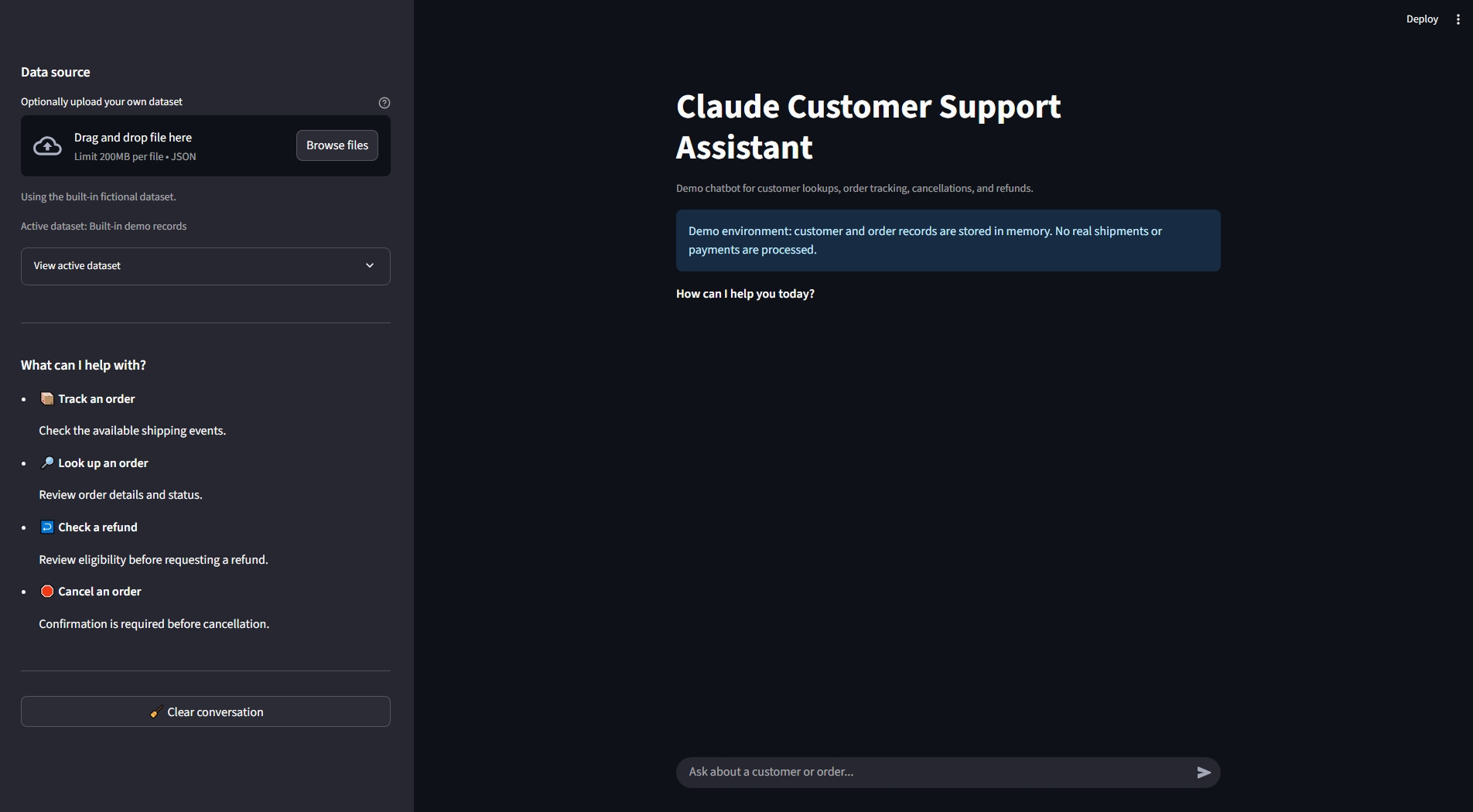
The following screenshot illustrates the Streamlit interface, including the sidebar and the main chat area.
The sidebar includes a Data Source section, allowing users to select the built-in demonstration dataset (the default option) or upload a custom JSON dataset. The View Active Dataset section allows users to inspect the currently loaded customer and order records.
The sidebar also provides an overview of the available customer-support functions, including customer lookup, order tracking, cancellations, and refund eligibility checks, as well as a button to clear the conversation.
The main area contains the chat interface, where users can submit requests in natural language and interact with the AI-powered assistant.
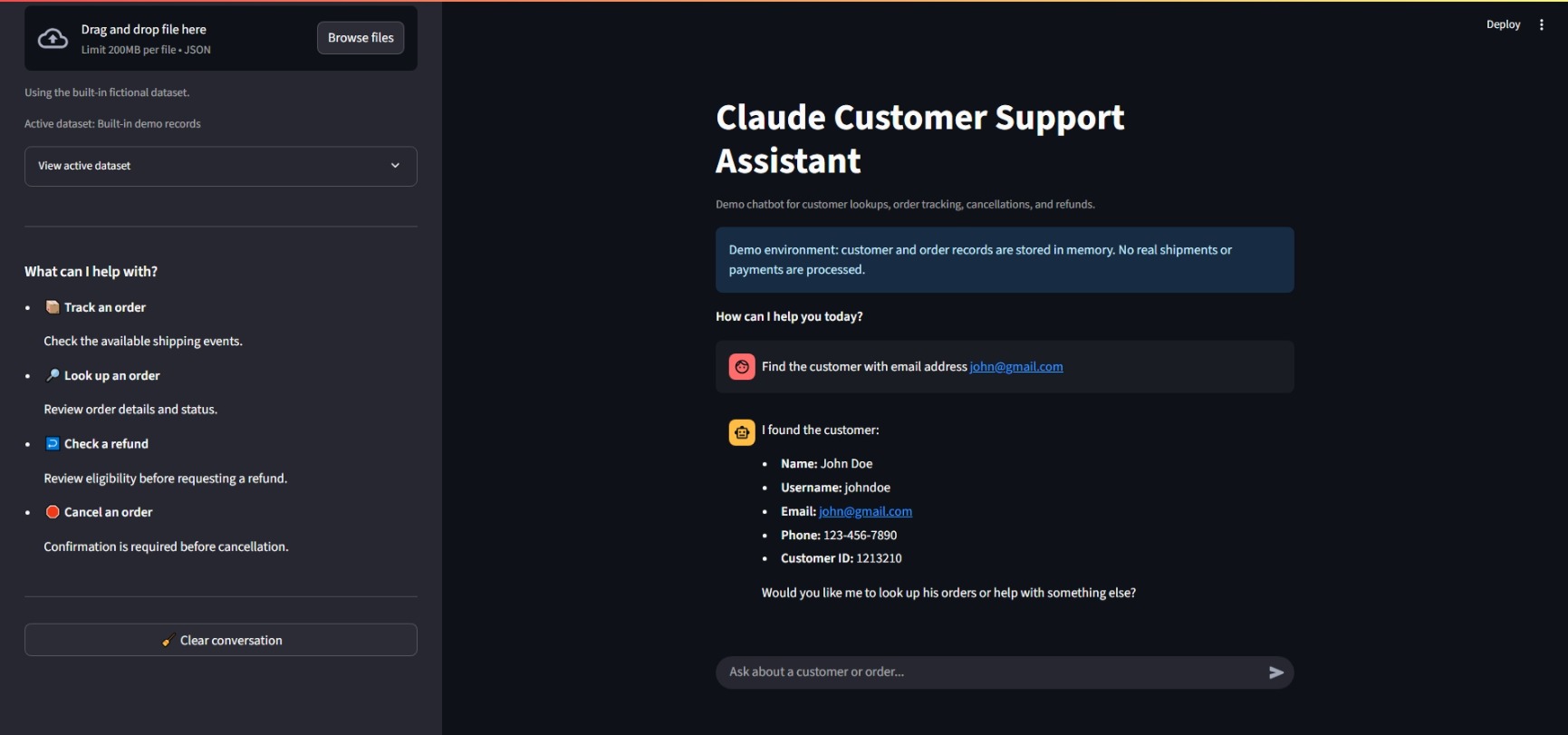
The Customer Lookup interface showcases the workflow for retrieving customer information and supporting customer-service interactions through the application.
The Order Information interface displays essential order details, such as status, purchased items, and delivery information, to support customer assistance.
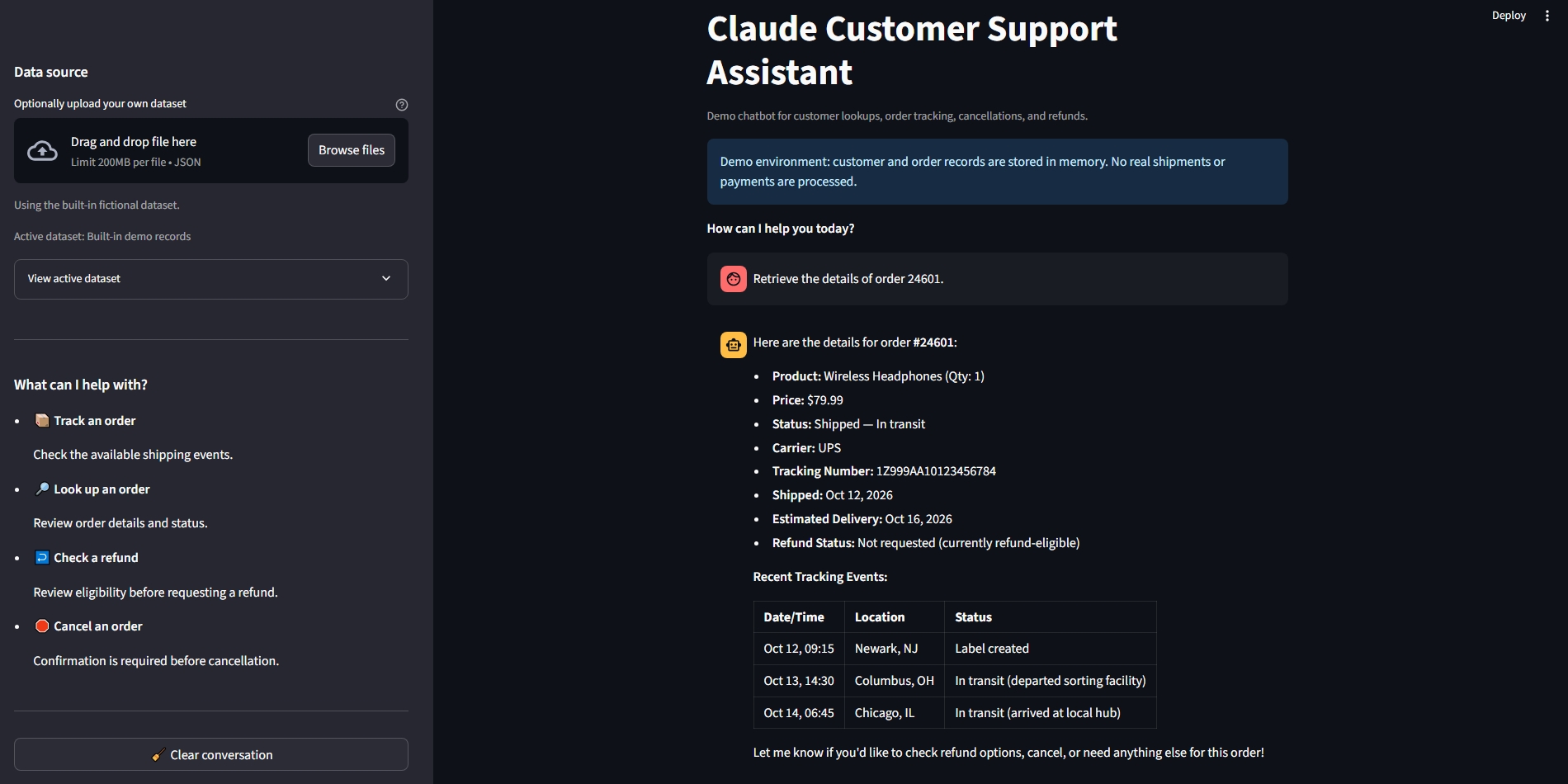
The Shipping Tracking interface shows the shipment status, delivery progress, and available tracking information.

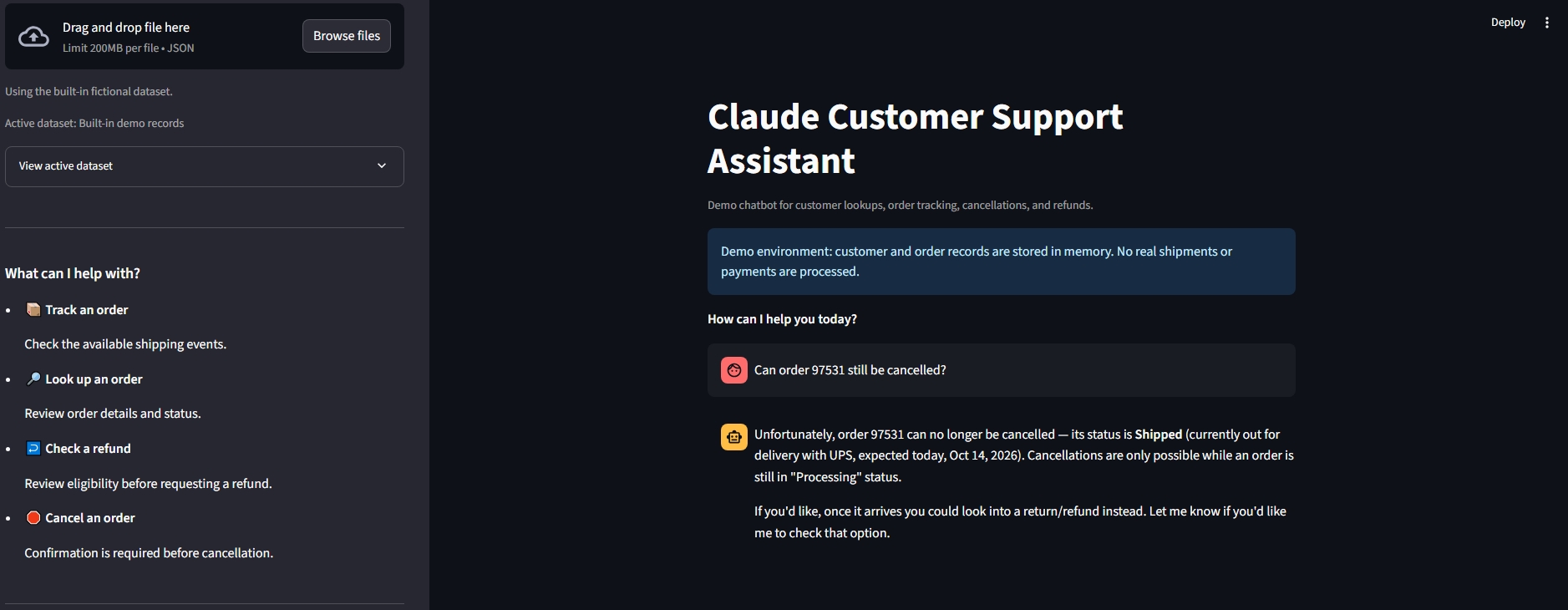
This screenshot illustrates the assistant handling an order-cancellation request and guiding the user though the relevant support interaction.
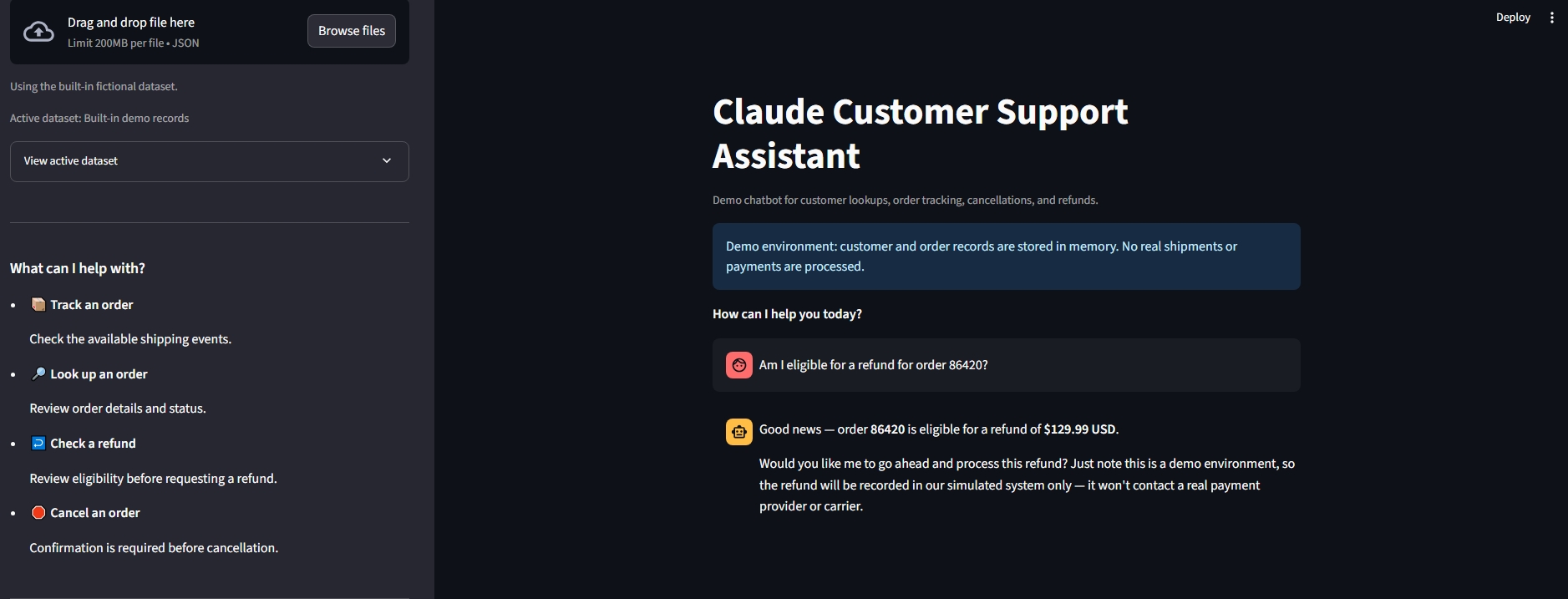
This screenshot illustrates the assistant evaluating a refund request and displaying the eligibility outcome based on the policy and account context represented in the simulated data.
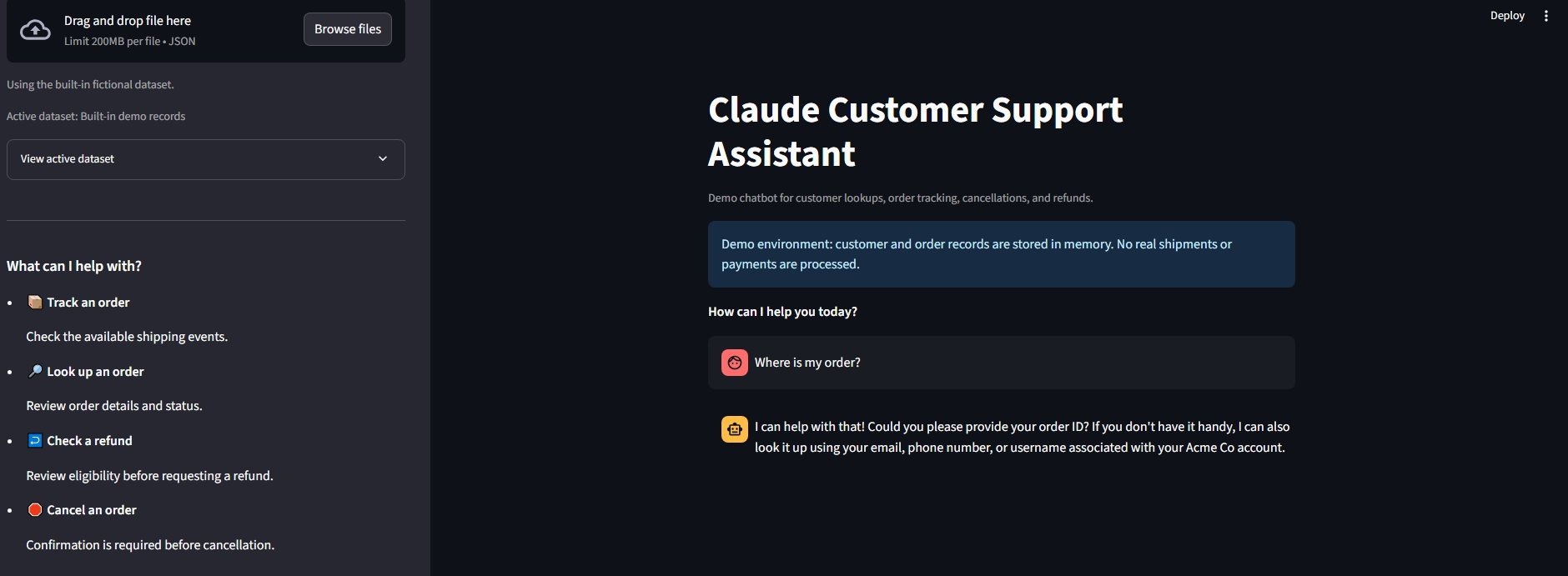
This screenshot shows the application displaying a validation message when required is missing. The assistent prompts the user to provide the necessary details before continuing.
The project includes basic safeguards to illustrate responsible tool use, but it is not production-ready. Its main limitations include:
Note: These limitations are intentional and allow the project to demonstrate AI-powered customer-support workflows without interacting with real customer accounts or financial transactions.
The prototype could be extended toward a more reliable and practical customer-support application through the following improvements:
These changes would require careful design and testing; they are not provided by the current demonstration.
Contributions are welcome to improve the AI-Powered Customer Support Assistant with Anthropic Claude:
git checkout -b feat/your-feature
Please follow the repository code style and add tests for significant changes.
This project is licensed under the MIT License.
Acknowledgements to the Ready Tensor developer community for creating a vibrant ecosystem where AI professionals can share projects, insights, and innovations. This community helps accelerate the advancement of AI technology and supports the development of practical, real-world developer tools.
