



 Certifiedunder the Production-Grade Agentic System module in the Agentic AI In Production program.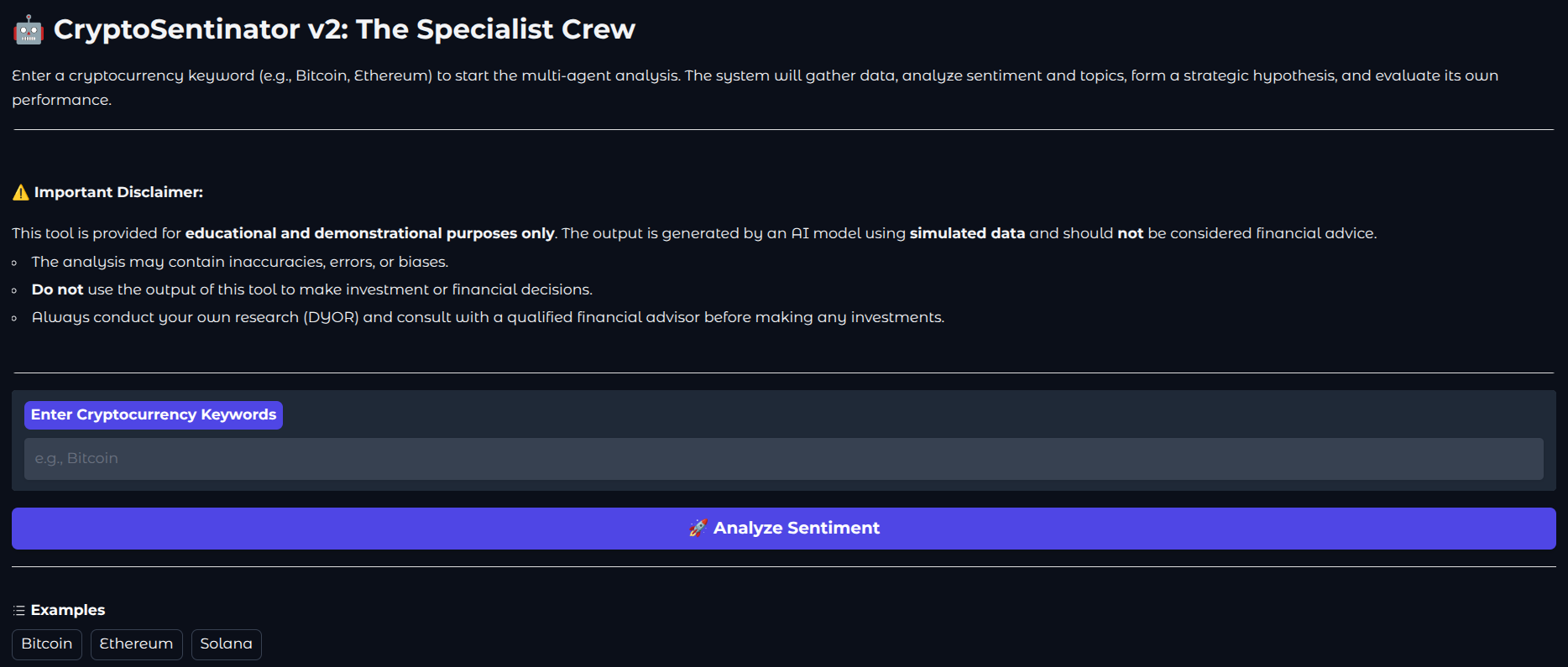
Model: Cryptosentinator
In the volatile world of cryptocurrency, market sentiment is a powerful yet notoriously difficult signal to interpret. The sheer volume of data from social media, news, and forums creates a "noise" problem, making it challenging to distinguish meaningful trends from fleeting chatter.
Cryptosentinator is an advanced multi-agent system designed to solve this problem by providing deep, contextual, and self-evaluated sentiment analysis. It employs a crew of four specialized AI agents—a Scout, an Analyst, a Strategist, and an Evaluator—that work in concert to gather intelligence, perform nuanced NLP analysis (including topic modeling), formulate actionable market hypotheses, and immediately score their own predictive accuracy.
This report details the system's architecture, its journey to production readiness, and its robust design, offering a powerful, deployable tool for anyone looking for understanding market dynamics.
The core problem Cryptosentinator addresses is the lack of context in raw sentiment analysis. A simple "positive" score is useless without knowing why the sentiment is positive. Our system solves this by breaking down the complex task into specialized roles handled by a multi-agent crew, orchestrated by the LangGraph framework.
The workflow is a sequential pipeline where each agent adds a new layer of value:
Note: This work was built on Module 2 -> publications/cryptosentinator v2
The journey from a simple prototype to a deployable application involved several key architectural enhancements:
Follow these steps to set up and run the project on your local machine.
(You can find the repository at the end of the publication under Code.)
Prerequisites
Step-by-Step Installation
Clone the Repository:
Open your terminal and clone the project to your local machine.
git clone https://github.com/your-username/cryptosentinator-v2.git
cd cryptosentinator-v2
Create and Activate a Virtual Environment:
This creates an isolated environment for the project's dependencies, which is a critical best practice.
# For macOS/Linux
python3 -m venv venv
source venv/bin/activate

# For Windows
python -m venv venv
.\venv\Scripts\activate
Install Dependencies:
This command reads the requirements.txt file and installs all the necessary Python libraries.
pip install -r requirements.txt
Configure Your API Key:
Create a .env file in the project root. This file securely stores your API key without exposing it in the code.
# .env
GEMINI_API_KEY="sk-YourSecret API Key"
The application is designed to load this key automatically.
Running the Application
You can run the application in two ways:
gradio app.py
Open the local URL provided (e.g., http://127.0.0.1:7860) in your web browser.
pytest
#or
PYTHONPATH=. pytest --maxfail=5 --disable-warnings -q
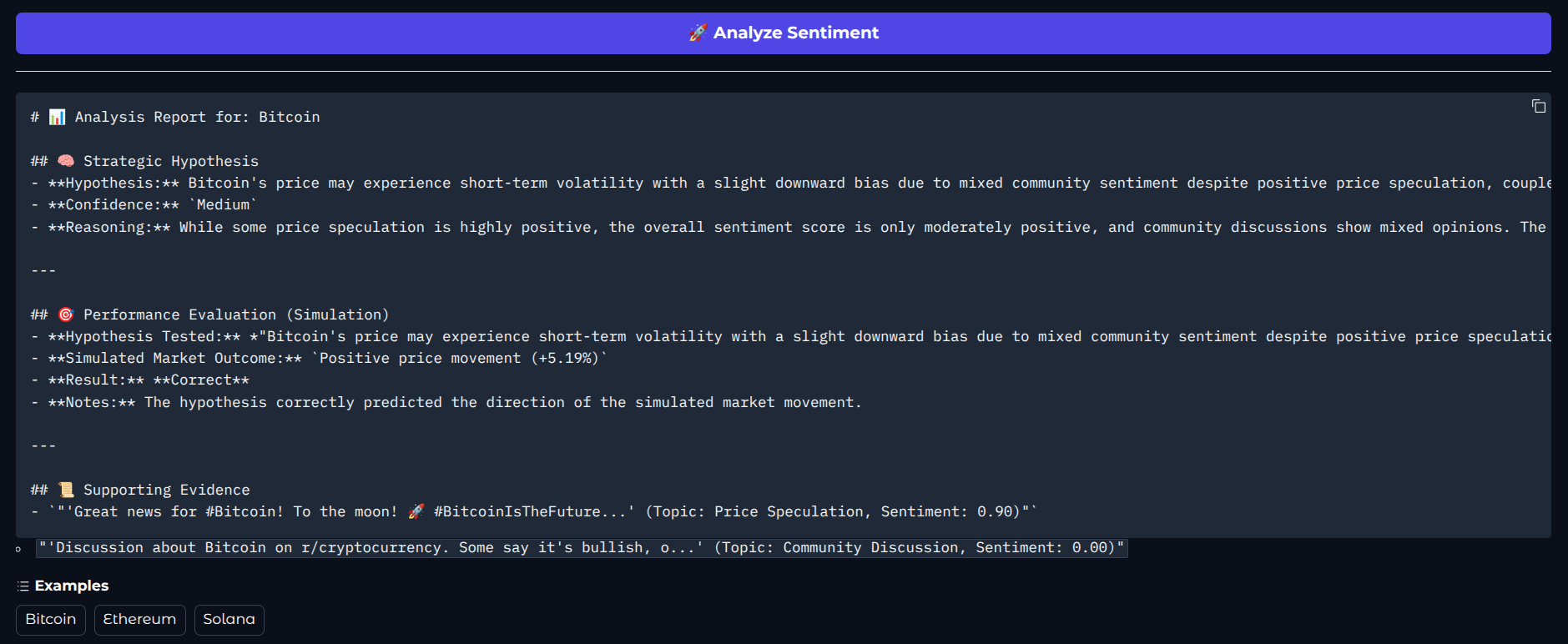
For interactive use, CryptoSentinator is deployed with a clean, user-friendly interface built with Gradio.
The UI is designed for simplicity and immediate usability. It presents a single call-to-action, hiding the complex multi-agent pipeline behind a straightforward interface.
This project is committed to high standards of reliability, verified by a comprehensive, multi-layered testing strategy.
Our test suite is structured to provide robust coverage at every level:
Unit Tests: These are the foundation. They test each individual function and agent method in complete isolation to ensure its logic is correct. All external dependencies (like LLM calls) are mocked.
Integration Tests: These tests verify the "handoff" between agents. For example, we test that the IntelligenceAnalystAgent can correctly process the exact output format produced by the ScoutAgent. This ensures agents can communicate and work together.
End-to-End (E2E) Tests: This test simulates a full user journey. It runs the entire LangGraph pipeline from start to finish, mocking only the external APIs. This validates that the complete workflow is connected correctly and produces a final report in the expected format.
We use the pytest-cov library to measure how much of our codebase is executed by our tests. High test coverage is a strong indicator of a robust and reliable application.
To run the tests and generate a coverage report, use this command:
PYTHONPATH=. pytest --maxfail=5 --disable-warnings -q --cov
This will run all tests and then print a report to the terminal detailing the percentage of code covered in each file. Our goal is to maintain a coverage of 90% or higher for all critical application logic.
CryptoSentinator is designed for flexible deployment.
This project is licensed under the MIT License. I chose this permissive license to encourage widespread adoption, learning, and participation.
This means you are free to:
✅ Use: Use the software for any purpose, including commercial projects.
✅ Modify: Adapt the code to suit your needs.
✅ Distribute: Distribute the original or modified versions of the software.
The only condition:
Include the license and copyright notice: You must include the original copyright notice and a copy of the MIT License in all substantial parts of the software you distribute.
You are not required to:
❌ Distribute your changes: You can modify the code for personal use without publishing your changes.
❌ Provide any warranty: The software is provided "as is" without any warranty.
