 Certifiedunder the Production-Grade Agentic System module in the Agentic AI In Production program.Certifiedunder the Production-Grade Agentic System module in the Agentic AI In Production program.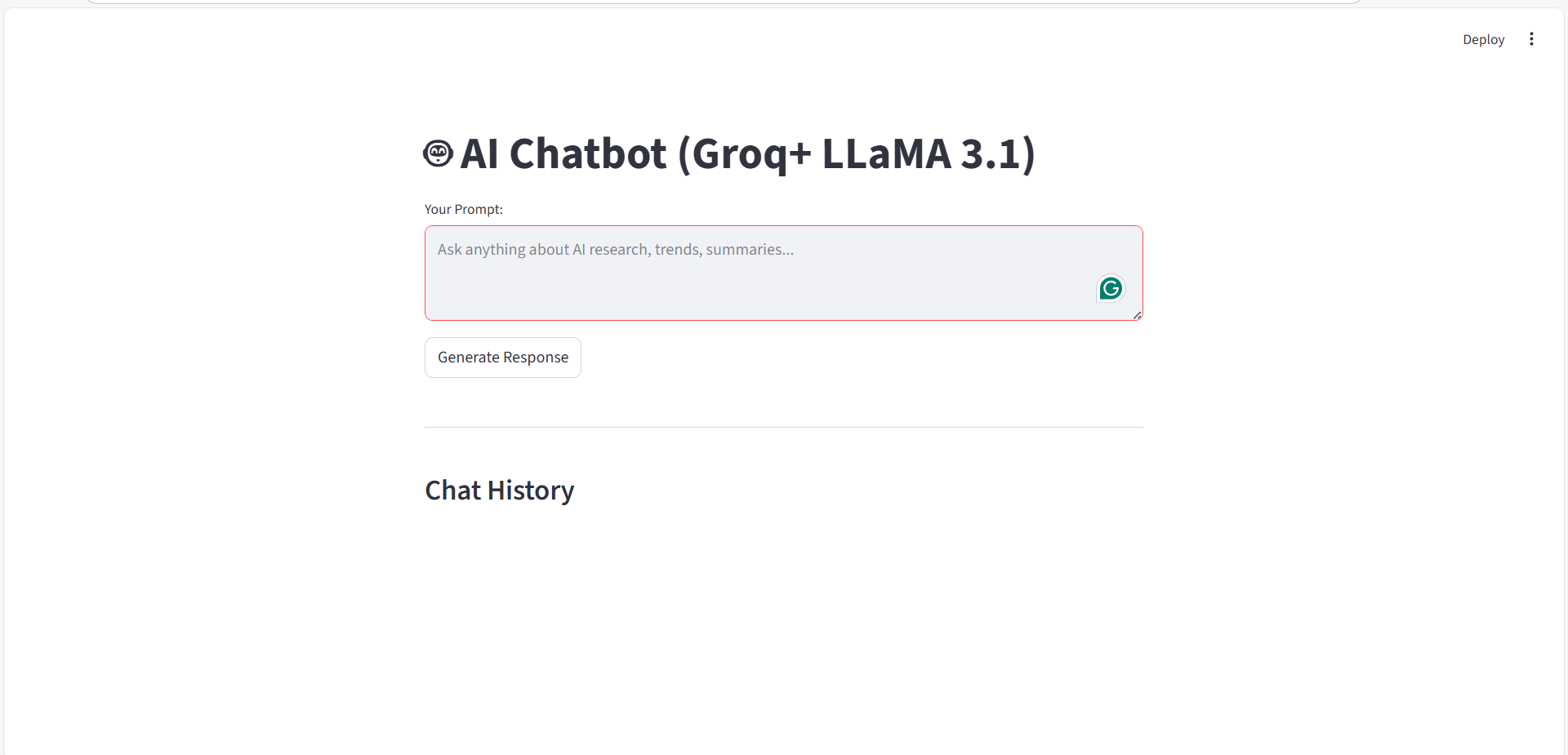
This project implements a web-based AI chatbot using Streamlit as the frontend and Groq-powered LLaMA 3.1 as the language model. The chatbot allows users to enter prompts related to AI research, trends, and summaries, processes them through an LLM backend, and displays the responses in a conversational chat interface. The application maintains chat history, provides a user-friendly UI, and simulates a real-time conversational experience.
Streamlit – for building an interactive web interface
Groq + LLaMA 3.1 – for fast and high-quality LLM inference
Python – core programming language
Session State – to persist chat history across interactions
#(import streamlit as st
from llm import run_llm )
#(st.set_page_config(page_title="Groq Chatbot", page_icon="🤖")
#(st.markdown("""
<style>
.chat-bubble-user {
    background-color: #DCF8C6;
    border-radius: 10px;
    padding: 8px 12px;
    margin: 6px 0px;
    width: fit-content;
    max-width: 75%;
}
.chat-bubble-ai {
    background-color: #F1F0F0;
    border-radius: 10px;
    padding: 8px 12px;
    margin: 6px 0px;
    width: fit-content;
    max-width: 75%;
}
</style>
""", unsafe_allow_html=True)
#(st.title("🤖 AI Chatbot (Groq+ LLaMA 3.1)")
#(if "chat_history" not in st.session_state:
    st.session_state.chat_history= [])
#(prompt= st.text_area(
    "Your Prompt:",
    placeholder="Ask anything about AI research, trends, summaries..."
)
#(if st.button("Send"):
    if prompt.strip():
        with st.spinner("Thinking....."):
            response= run_llm(prompt)

            st.session_state.chat_history.append(("You", prompt))
            st.session_state.chat_history.append(("AI", response))
    else:
        st.warning("Please type something first.")
When the Send button is clicked:
#(st.write("---")
st.subheader("Chat History")
- [ ] Adds a separator and heading for clarity.
for role, message in st.session_state.chat_history:
    if role== "You":
        st.markdown(
            f"<div class='chat-bubble-user'><b>You:</b> {message}</div>",
            unsafe_allow_html=True
        )
    else:
        st.markdown(
            f"<div class='chat-bubble-ai'><b>AI:</b> {message}</div>",
            unsafe_allow_html=True
        )
This AI Chatbot project effectively combines Streamlit UI, Groq-powered LLaMA 3.1, and session-based memory to create a responsive, user-friendly conversational application.
It reflects modern AI application design principles and serves as a strong base for extending into AI agents, tool usage, or autonomous workflows.
a. Securely load the Groq API key
b. Initialize the Groq client
c. Send user prompts to the LLaMA 3.1 model
d. Receive and return AI-generated responses
e. This separation ensures clean architecture and modular design.
#(import os
from dotenv import load_dotenv
from groq import Groq)
#(load_dotenv()
#(GROQ_API_KEY = os.getenv("GROQ_API_KEY")
#(if not GROQ_API_KEY:
    raise ValueError("GROQ_API_KEY not found! Make sure it is set in your.env file.")
#(client = Groq(api_key=GROQ_API_KEY)
#(def run_llm(prompt: str, max_tokens: int = 300):
#(response = client.chat.completions.create(
    model="llama-3.1-8b-instant",
    messages=[{"role": "user", "content": prompt}],
    max_tokens=max_tokens
)
#(return response.choices[0].message.content)
#(print("Loaded Key: ", GROQ_API_KEY)
#(if __name__ == "__main__":
    reply = run_llm("Hello, how are you?")
    print(reply)
Keeps LLM logic separate from the UI
Improves maintainability and scalability
Makes it easy to:
This module serves as the brain of the chatbot, enabling seamless communication with the Groq-powered LLaMA 3.1 model.
By securely managing API keys, abstracting model interaction, and providing a reusable inference function, it lays a strong foundation for building scalable AI chatbots and future agentic systems.